Write & organize
Multi-tab SQL editing, highlighting, formatting, undo/redo, font sizing, SQL file import and download, and find/replace.
 SQL HopSign in
 A desktop workspace for writing, reviewing and investigating Oracle Fusion reporting queries. Trial and paid users use the same local query tools; accounts and billing stay on the web.
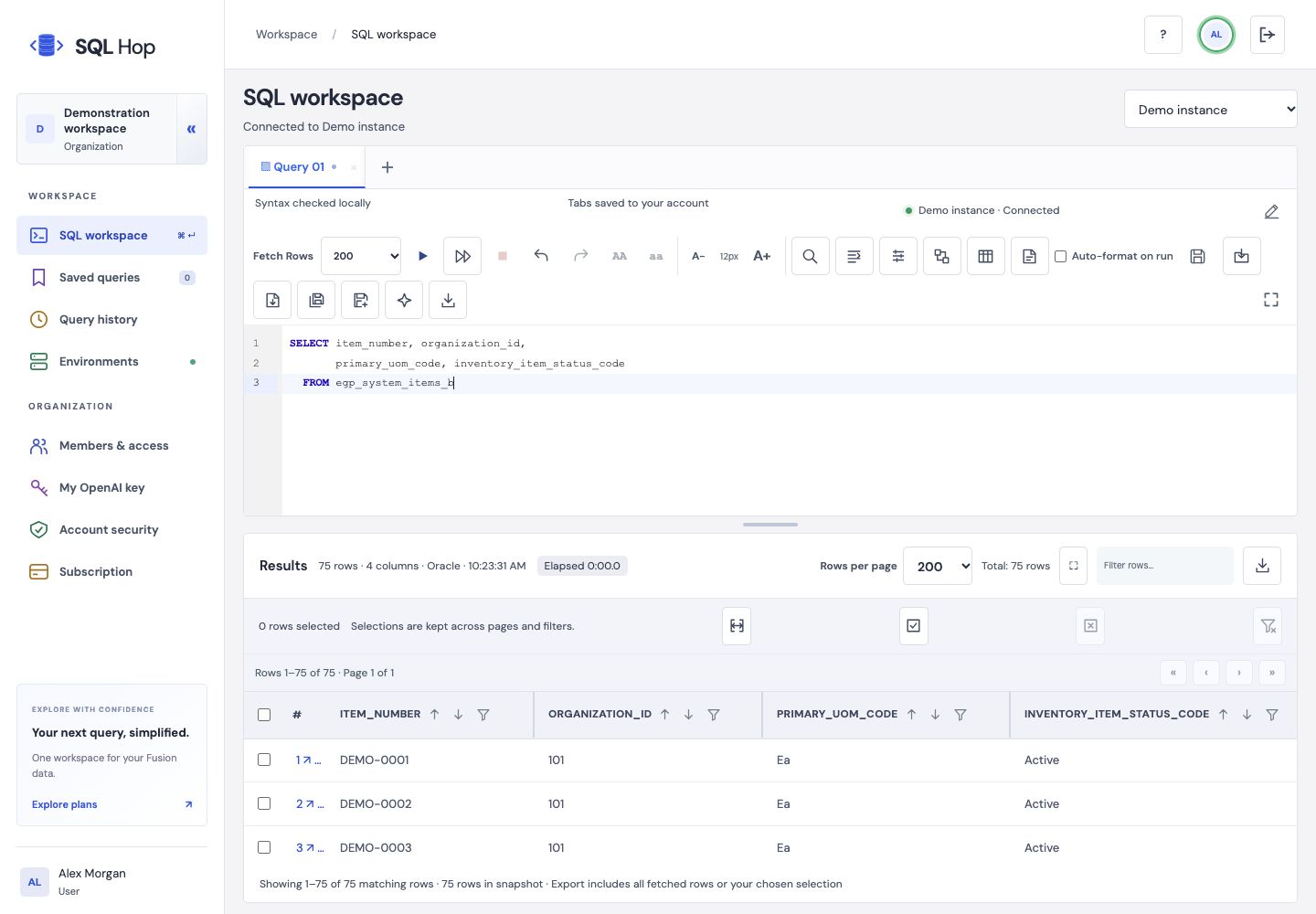
Multi-tab SQL editing, highlighting, formatting, undo/redo, font sizing, SQL file import and download, and find/replace.
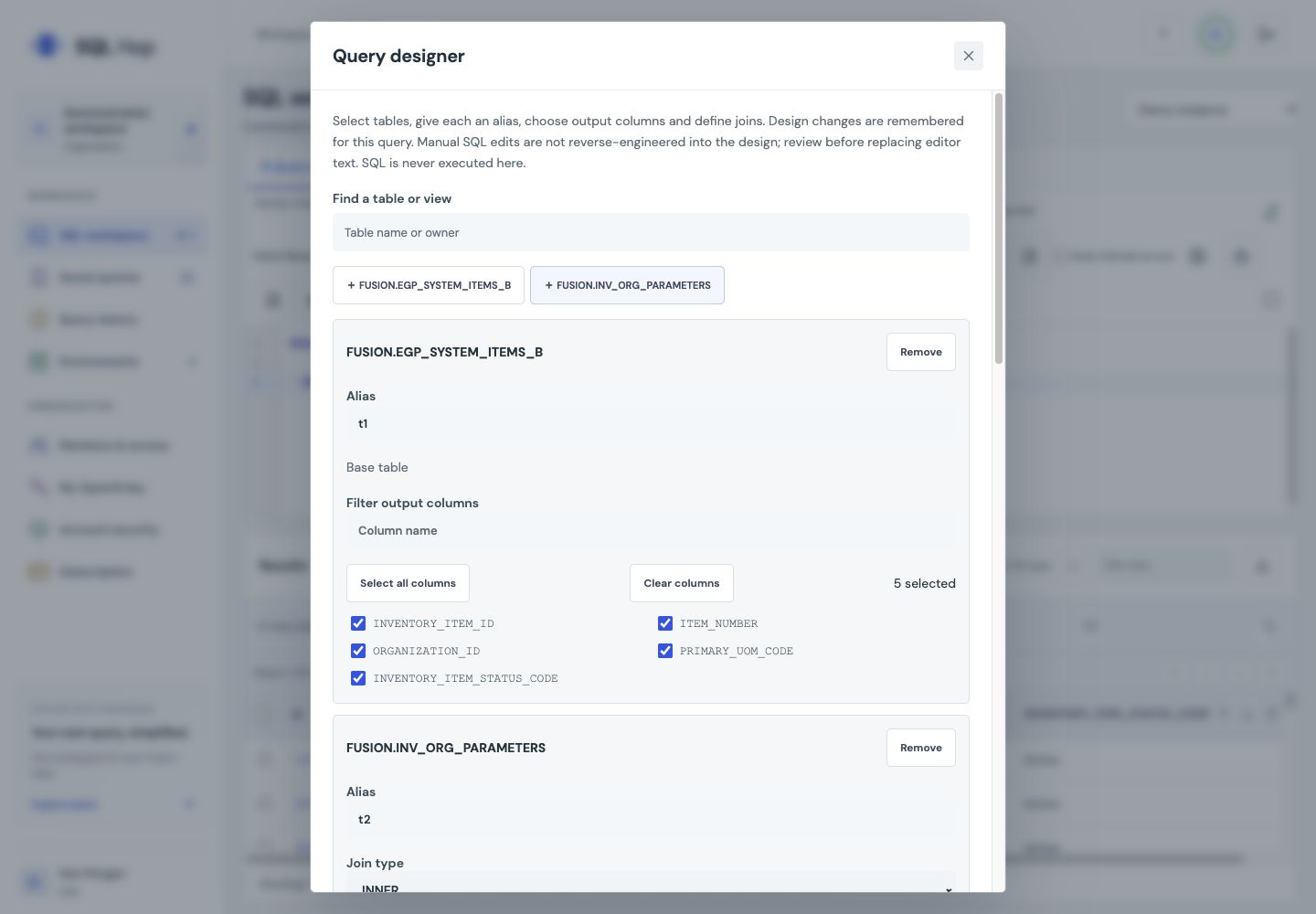
Choose tables and aliases, select columns, define joins, filters, aggregates, GROUP BY, HAVING and sorting. Save the editable design with its query.
Use :NAME parameters and supported lexical parameters. Values are requested for execution and are not retained with saved queries.
Run All processes statements sequentially. Each result tab keeps its own filters, sorting, selected rows and export context.
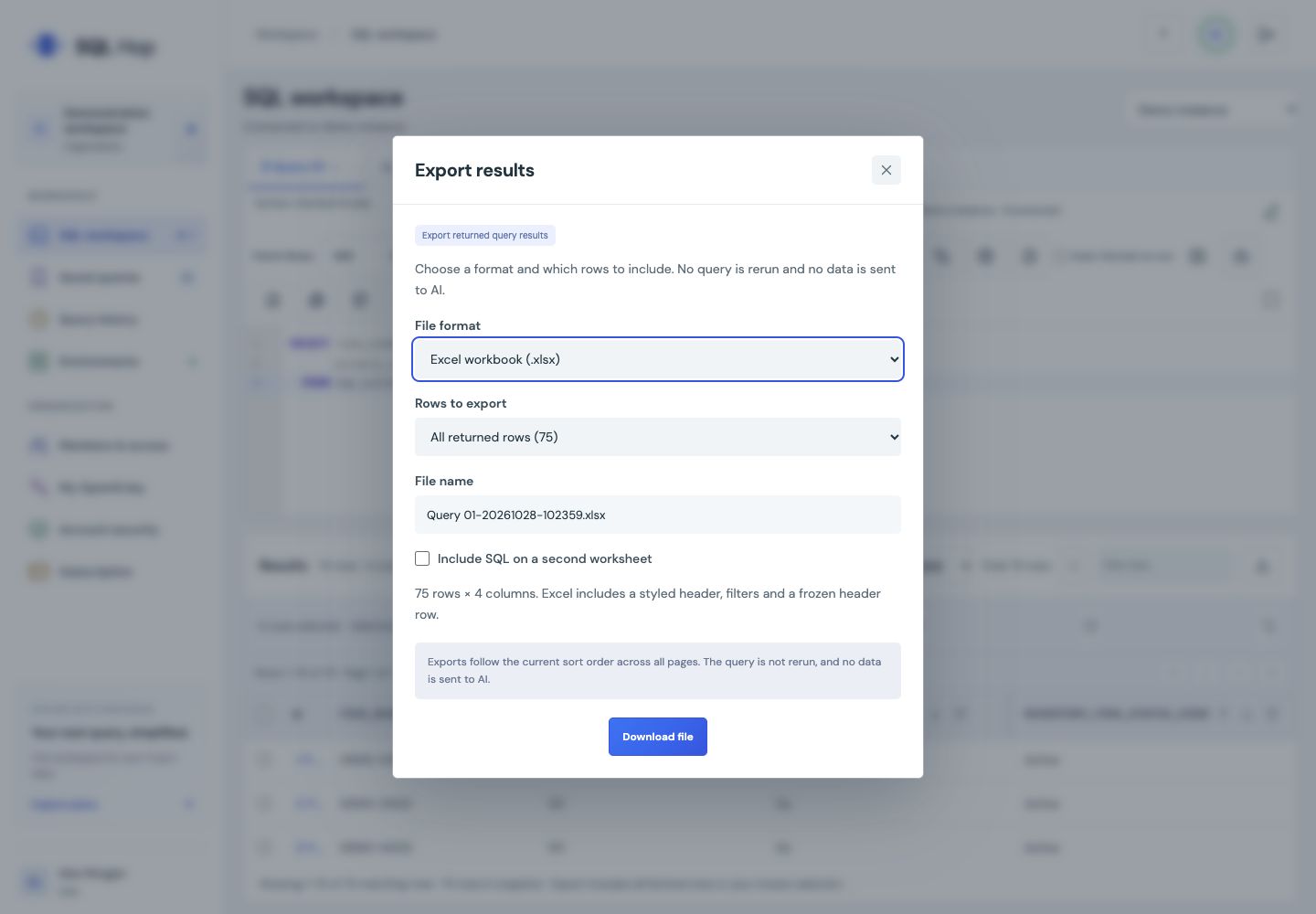
Download CSV or Excel, select rows across pages and optionally include the SQL in a separate Excel sheet. Desktop background exports run locally through an authorized Oracle connection; generated downloads expire after 24 hours. Customer queries and exports run in Desktop. The web SQL workspace is reserved for super admin; ordinary web accounts show account and billing tools.
Where enabled, use OpenAI to draft, explain, fix and refine SQL. Review and apply proposed changes yourself; AI does not execute queries. Shared-service requests still need the account service and provider; personal-key use requires admin permission.
Start an organization trial, download Desktop, or sign in to manage your account.